
- Settings > Accounting
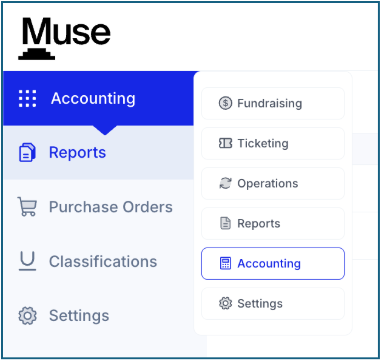
- Daily Report
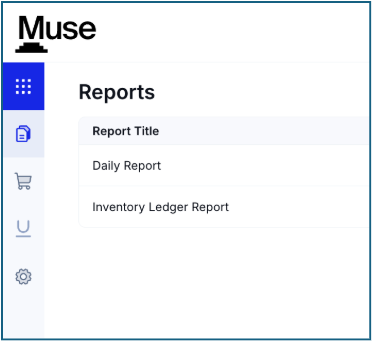
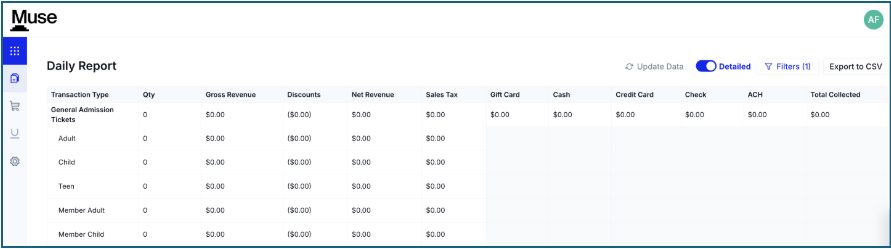
- This report is a summary of all revenue activity across all areas of Muse that you configured in Accounting Mapping
-
- General Admission Tickets
- Event Tickets
- Exhibition Tickets
- Memberships
- Merchandise Sales
- Food & Beverage Sales
- Unrestricted Donations Account
- Restricted Donations Account
- Private Events
- Group Visits
- Gift Cards
- Sales Tax
- Manual Charge
- Processing Fees
- Filter
- You can filter by date to see any previous day’s transaction summary
- Detailed toggle
- This allows you to view either the breakout of the section or a rolled-up summary

- This allows you to view either the breakout of the section or a rolled-up summary
-
- Update Data
- This allows you to refresh the data to get the most up to date information
- Export to CSV
- The options are Full report or Rollup
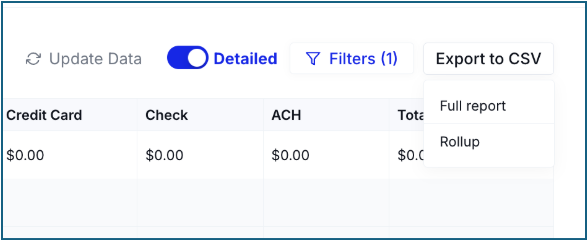
*The Client Services team is happy to provide you with samples of both exports
- Inventory Ledger Report
- Inventory Value
- This provides an up to date look at inventory across all items you have for Merchandise and Food and Beverage
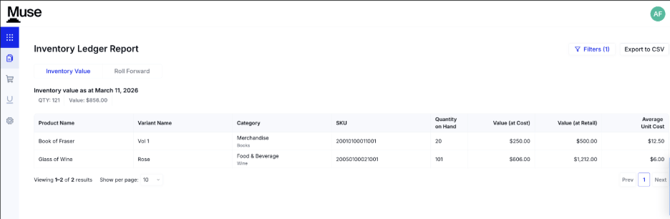
- This provides an up to date look at inventory across all items you have for Merchandise and Food and Beverage
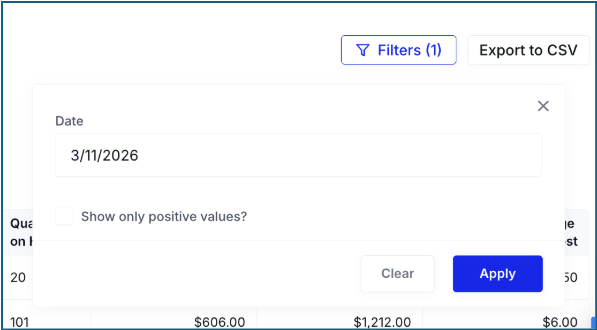
- Filter
- You can filter by date
- You can also use the checkbox to only show positive values
- Export to CSV
* The Client Services team is happy to provide you with a sample of the export
- Roll Forward
- This report will show any stock updates you made in the POS
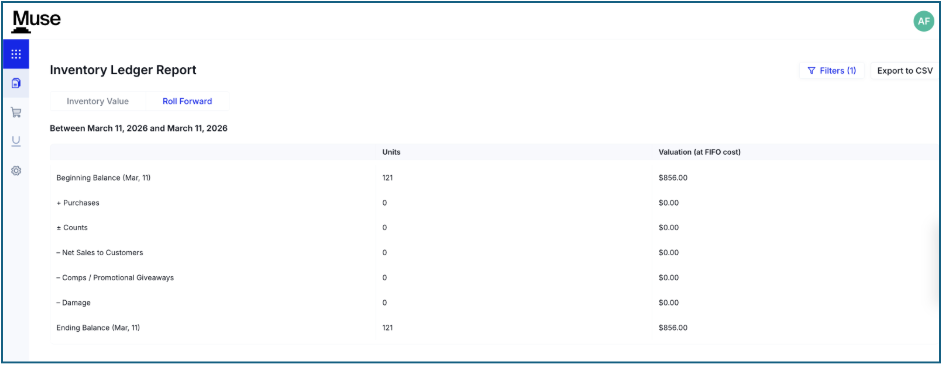
- Filter
- You are able to set a date range for the report
- Export to CSV
* The Client Services team is happy to provide you with a sample of the export