
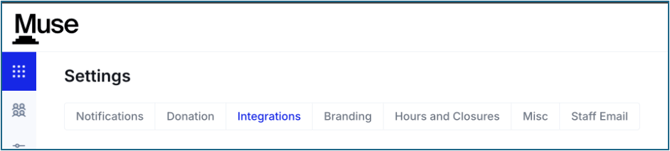
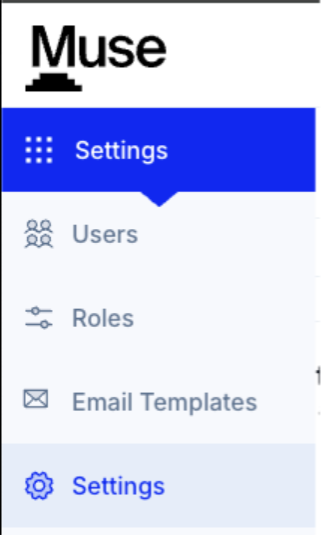
- Settings > Settings > Integrations
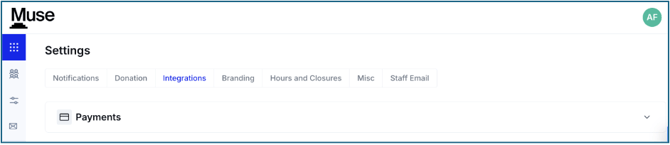
- Click the down carat on Payments to start your Integration
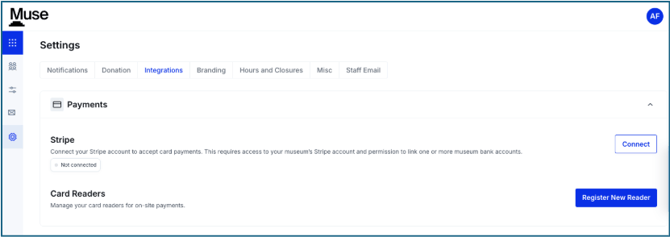
- Click Connect
-
- You will be automatically sent to the Stripe website

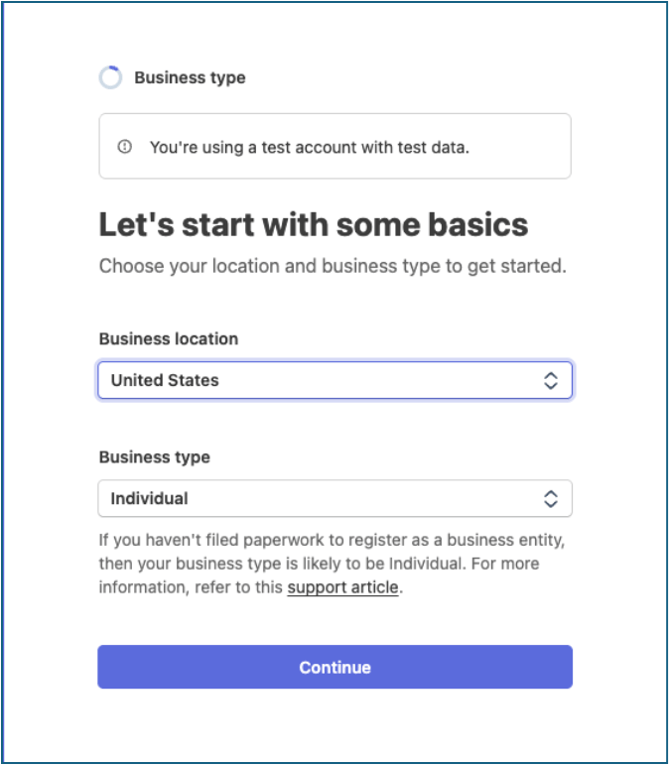
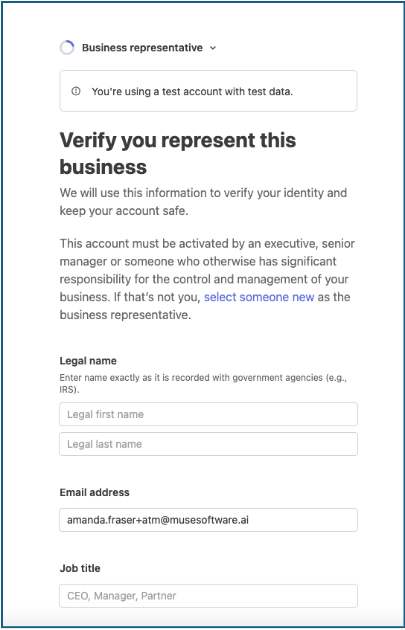
*You will see the banner ‘You’re using a test account with test data.’ to indicate that this is set up for the Sandbox, NOT your Production.
- Enter the email address of the person on your staff setting up the Stripe account
-
- You will need access to the email inbox
- Verify your email in Stripe

- Business Type
-
- You will then be directed to create your Business Account by entering your Business Location and Business Type
-
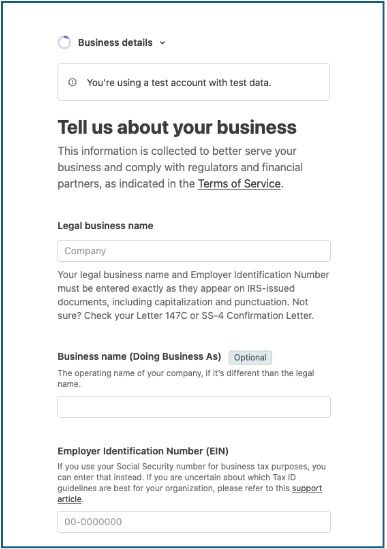
- You will then enter the Legal business name, the Business name (the name you are doing business as) and your Employer Identification Number or EIN
-
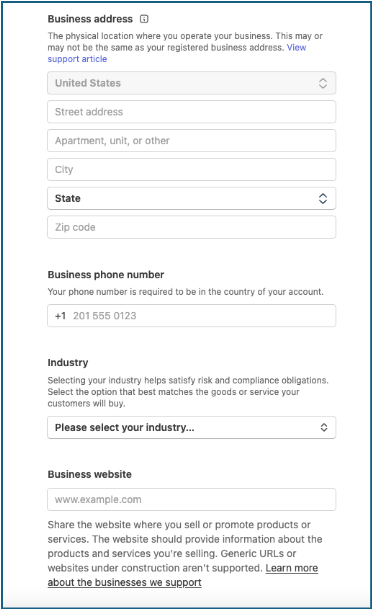
- You will next be asked for the Business address, phone, industry and website
-
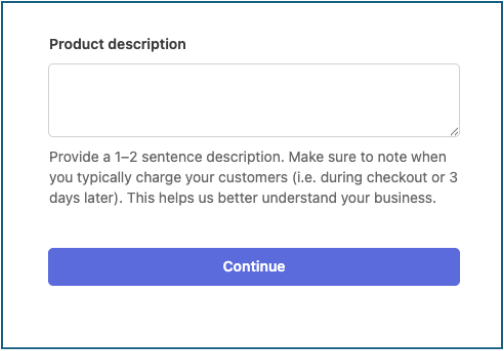
- You will then add a Product Description
- Business Representative
-
- You will now fill out your personal information with your Legal name, email address and Job title
-
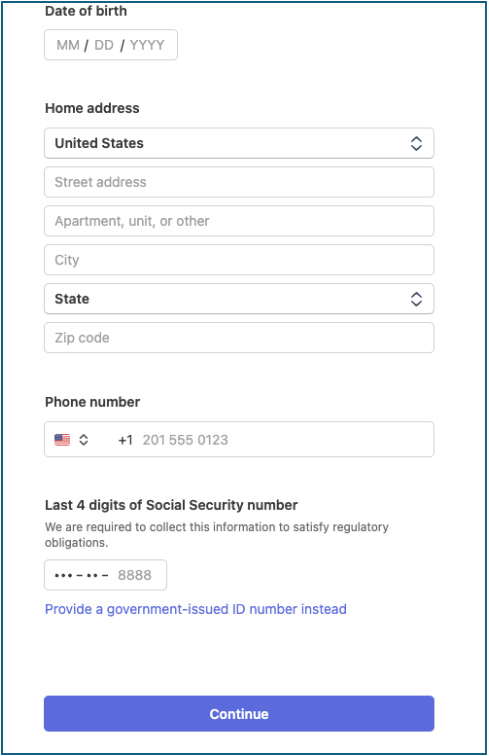
- You will then fill in the date of birth, home address, phone number and the last four digits of a Social Security number
*Please note, Stripe will need a real Social Security number in order to validate that this is a real person.
- Bank Details
-
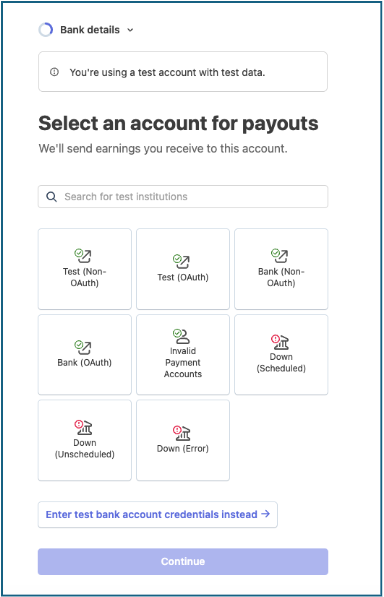
- From the test account, you will have several options to choose from to test out various banking options
-
- You will also have an option to create test credentials
-
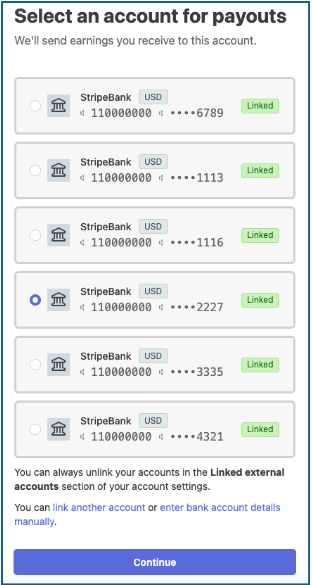
- Once linked, you will be directed to the next screen with your test bank account
- Public Details
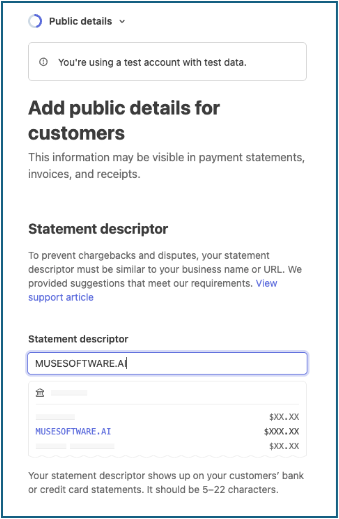
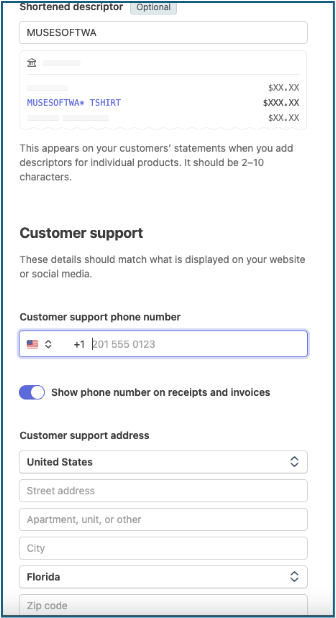
- You can add items that are customer facing like the credit card statement descriptor and the customer support phone number and address
- Optional Configurations
-
-
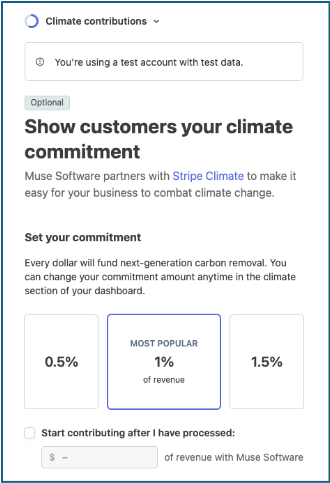
- Climate Contributions allows you to offer an option for patrons to give towards your climate commitment
-
-
-
Tax calculation allows you the ability to choose where taxes are collected
-

*Once you have finished the steps listed above, you will need to wait for your Stripe account to be updated. There can be a lag so please see our Stripe Integration video on this process.